❌
 ctosy
(beta)
ctosy
(beta)
Sometimes conflicting periods can occur: public interest can overlap and also reservations from external calendars can overlap. In that cases overlapping periods will be visible in the Views and Periods tabs.
Overlapping public interest periods over previously non-reserved period are expected. That is a sign that your property is 'hot' on the tourist market. It is up too the renter to communicate the decision to the customer he has chosen to host and deal with the others (rejection emails, offering alternatives etc.).
However, overlapping reservations are a problem the renter has to solve with his customers as soon as possible.
In the renter dashboard (top right corner) you will see the red alert icon with number of conflicting periods. Click on that icon will result in dialogue with more information.
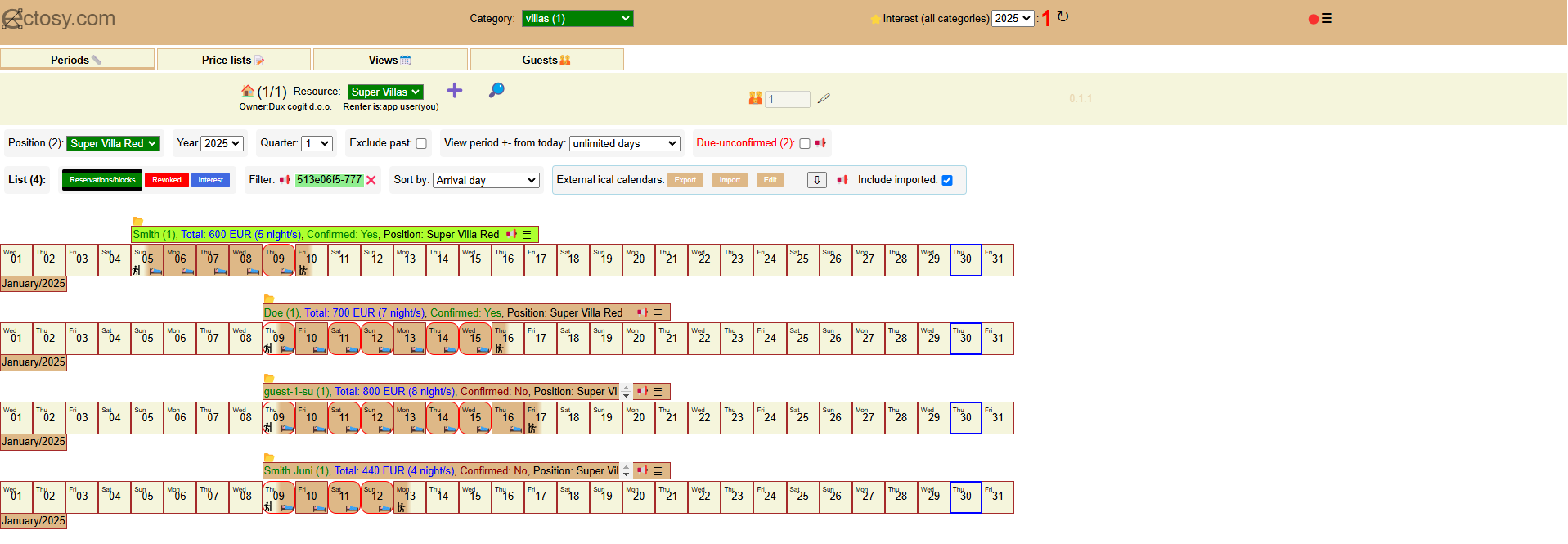
Conflicting reservations will be marked with red rounded borders (boxes) in the Periods tab.
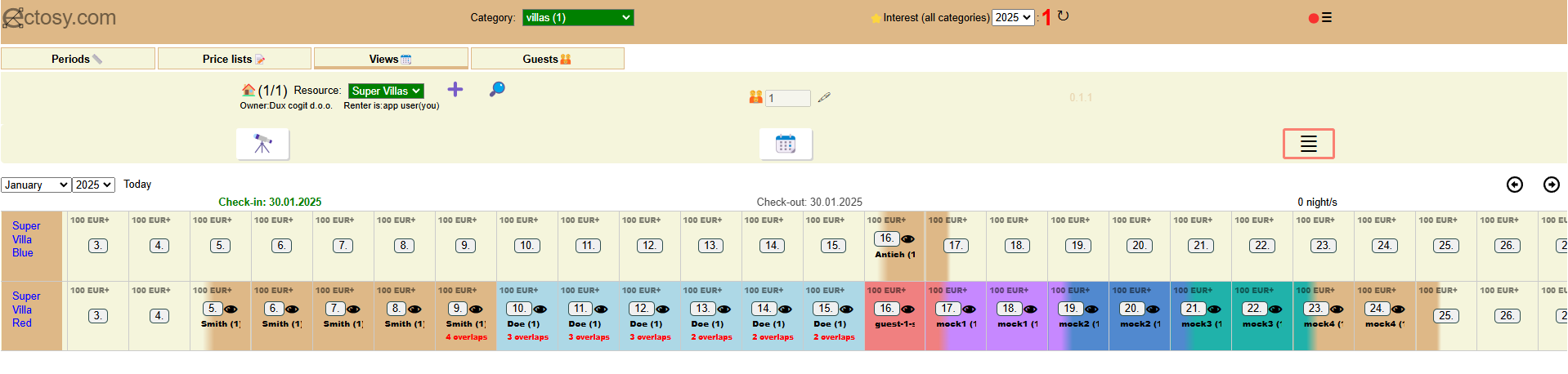
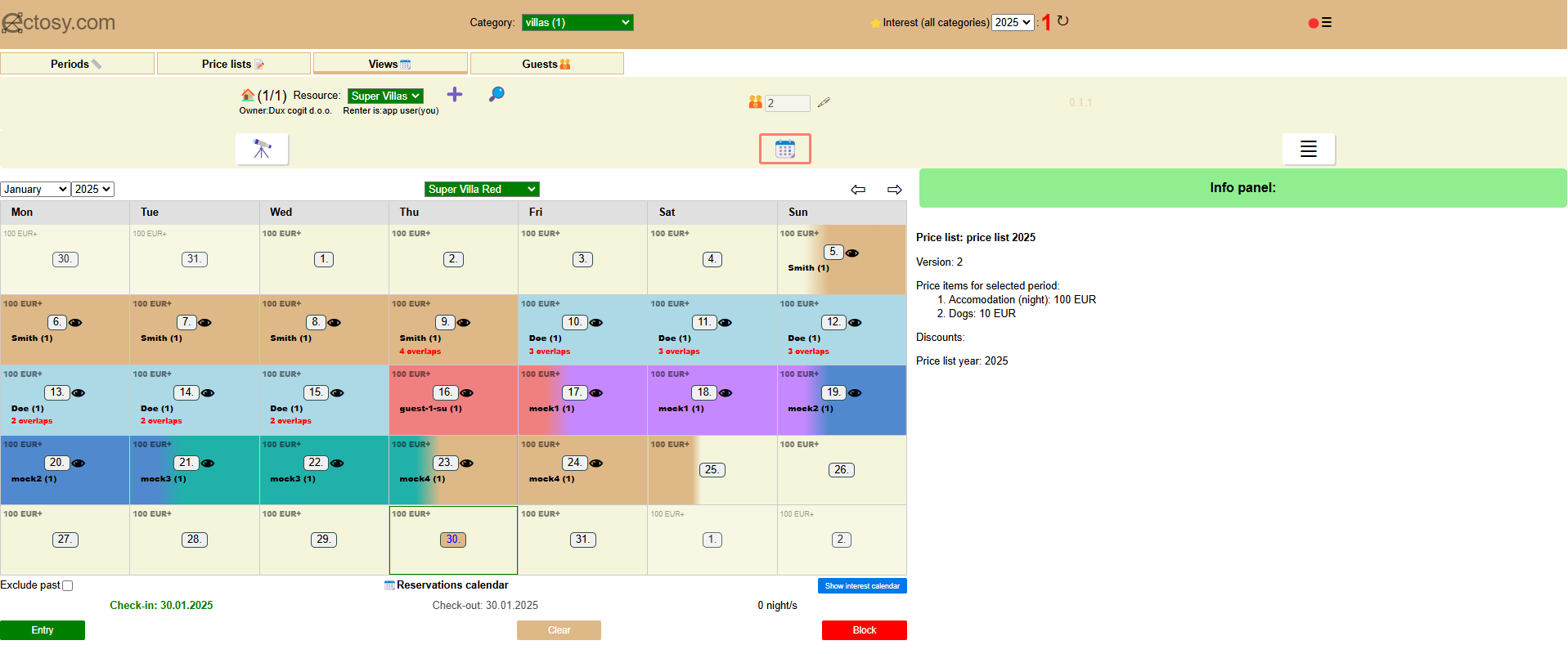
In the Views tab conflictig dates for reservations and public interest will be marked with the red notification, for example '2 overlaps'. Click on the notifications will take you to the Periods tab with conflicting periods filtered.


Customers with conflicting reservations and public interests are marked with red circles in the Guests tab. Click on the red circle will result in the dialogue with the conflict details.


Sometimes conflicting periods can occur: public interest can overlap and also reservations from external calendars can overlap. In that cases overlapping periods will be visible in the Views and Periods tabs.
Overlapping public interest periods over previously non-reserved period are expected. That is a sign that your property is 'hot' on the tourist market. It is up too the renter to communicate the decision to the customer he has chosen to host and deal with the others (rejection emails, offering alternatives etc.).
However, overlapping reservations are a problem the renter has to solve with his customers as soon as possible.
In the renter dashboard (top right corner) you will see the red alert icon with number of conflicting periods. Click on that icon will result in dialogue with more information.
Conflicting reservations will be marked with red rounded borders (boxes) in the Periods tab.
In the Views tab conflictig dates for reservations and public interest will be marked with the red notification, for example '2 overlaps'. Click on the notifications will take you to the Periods tab with conflicting periods filtered.
Customers with conflicting reservations and public interests are marked with red circles in the Guests tab. Click on the red circle will result in the dialogue with the conflict details.