❌
 ctosy
(beta)
ctosy
(beta)
User can define several email templates (under the Options icon ≡) for communication with the customers, depending on reason for communication.

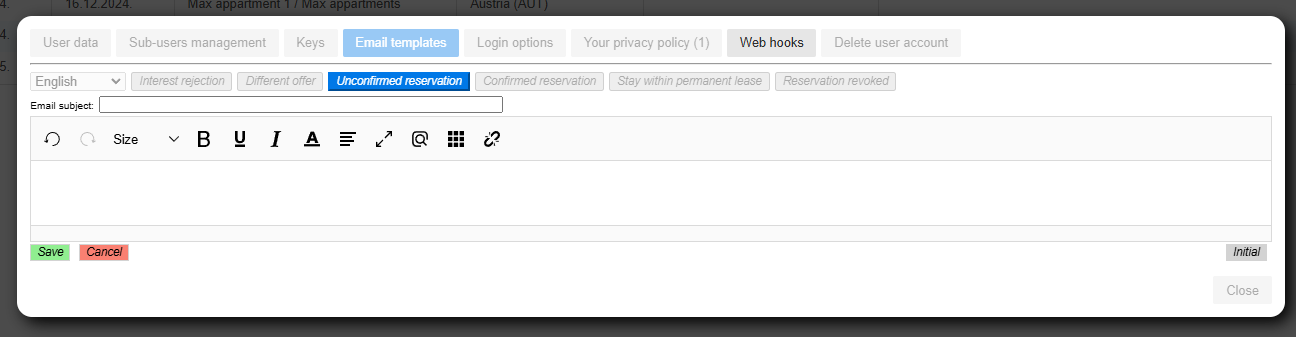
For example, when the renter decides to accept someone's interest he will transform it to the unconfirmed reservation. He can make custom emails every time but it is much more convenient to generate it by the 'Unconfirmed reservation' email template. To define that template click on the template button to enter it. Feel free to use already defined Initial template (click on 'Initial' button at the bottom right of the entry form) as is or as the starting point.
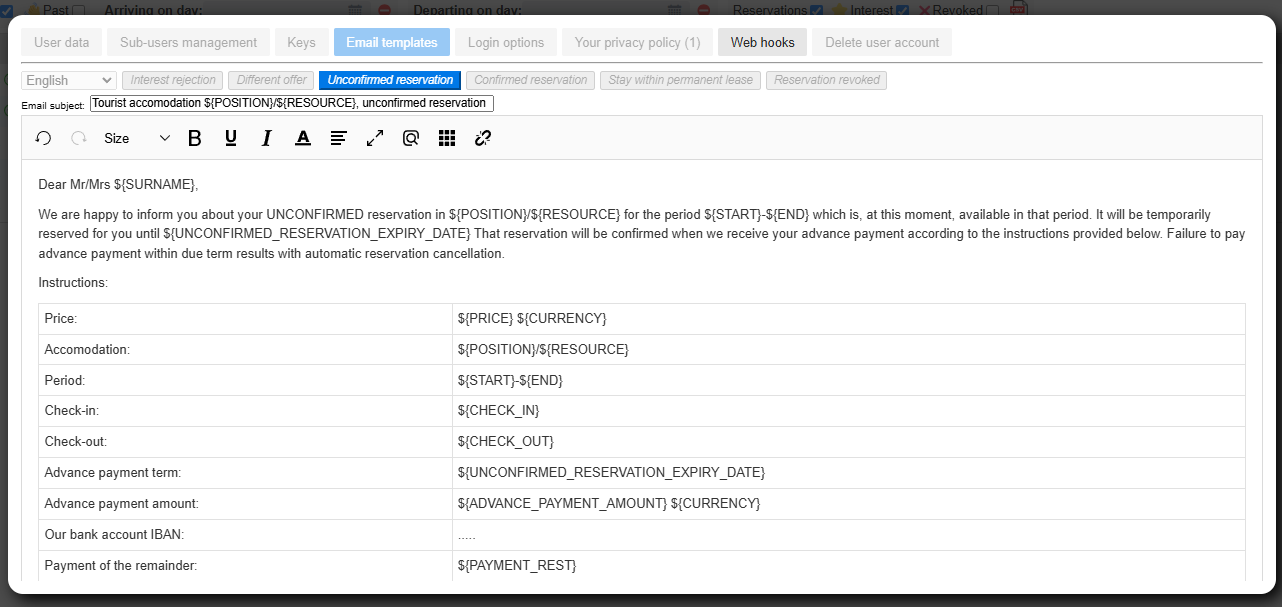
After you save the template for the Unconfirmed reservation event it will be available for generating emails about Unconfirmed reservations every time an interest period is transformed to unconfirmed reservation. Just copy-paste the email address, title and content to your email client and send it.


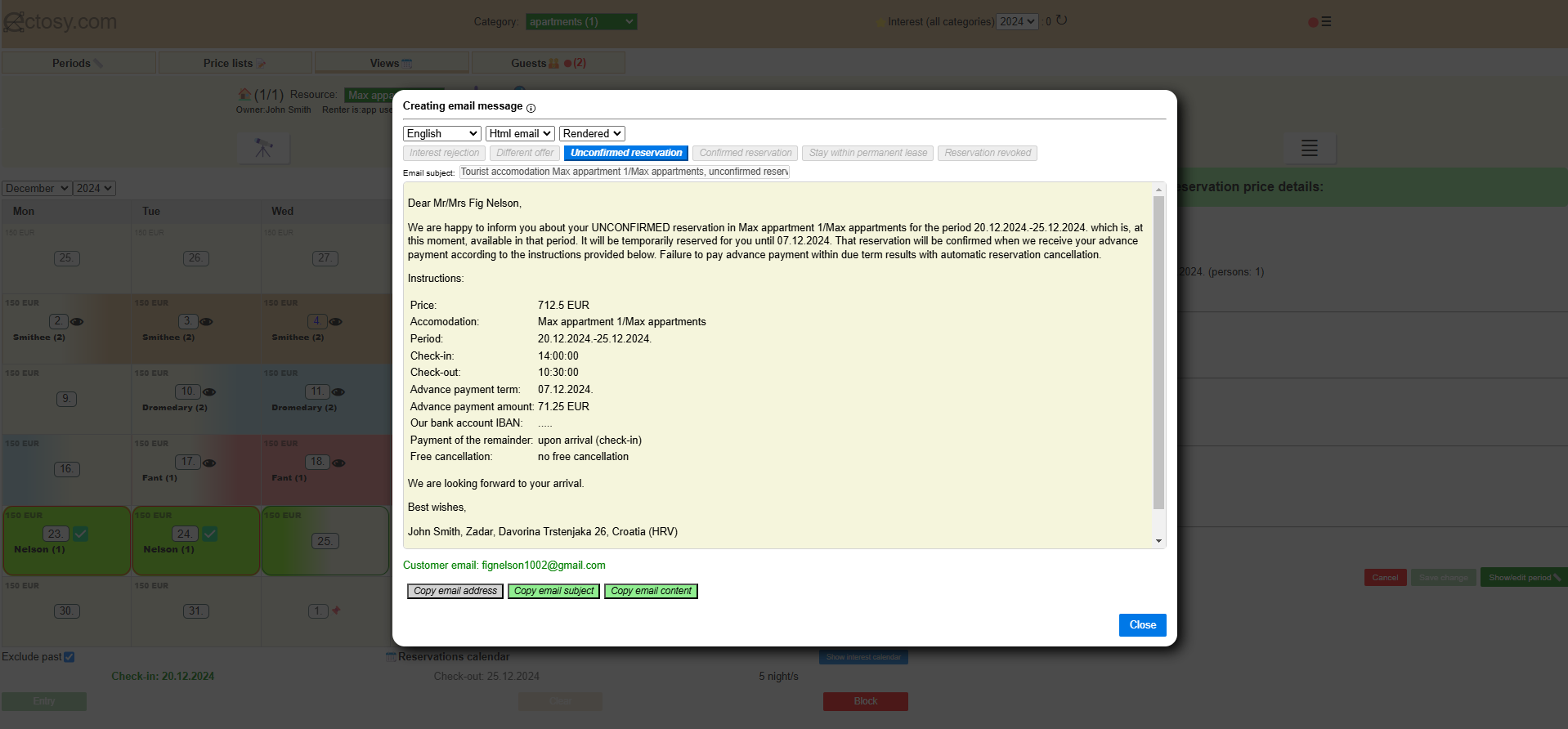
You can use emails defined in Email templates also from the Periods tab. For example, if you have created Interest rejection template and want to reject some interest, click on the 'sandwich' icon at the end of the period tray. Click on the option 'Reject interest/email' and you will see the dialogue with copyable customer email address, email title and content that you can use and tweak in whatever email client you use.


You can change and adjust Email templates in Ectosy app as you want, using capabilities of the provided editor. However, take notice of the text variables that are inside ${} brackets that you can also rearrange but their form ${VARIABLE} needs to remain the same so that Ectosy can fill that places with the correct data.
Also, at the top of the dialogue with generated email you will see several options as to the format of that email:
1. Html email, rendered (default and recommended)
2. Html email, raw (generates HTML)
3. Text email
User can define several email templates (under the Options icon ≡) for communication with the customers, depending on reason for communication.
For example, when the renter decides to accept someone's interest he will transform it to the unconfirmed reservation. He can make custom emails every time but it is much more convenient to generate it by the 'Unconfirmed reservation' email template. To define that template click on the template button to enter it. Feel free to use already defined Initial template (click on 'Initial' button at the bottom right of the entry form) as is or as the starting point.
After you save the template for the Unconfirmed reservation event it will be available for generating emails about Unconfirmed reservations every time an interest period is transformed to unconfirmed reservation. Just copy-paste the email address, title and content to your email client and send it.
You can use emails defined in Email templates also from the Periods tab. For example, if you have created Interest rejection template and want to reject some interest, click on the 'sandwich' icon at the end of the period tray. Click on the option 'Reject interest/email' and you will see the dialogue with copyable customer email address, email title and content that you can use and tweak in whatever email client you use.
You can change and adjust Email templates in Ectosy app as you want, using capabilities of the provided editor. However, take notice of the text variables that are inside ${} brackets that you can also rearrange but their form ${VARIABLE} needs to remain the same so that Ectosy can fill that places with the correct data.
Also, at the top of the dialogue with generated email you will see several options as to the format of that email:
1. Html email, rendered (default and recommended)
2. Html email, raw (generates HTML)
3. Text email